Back to Products
 0.0 (0 reviews)



Featured
Bestseller
Expert Advisors
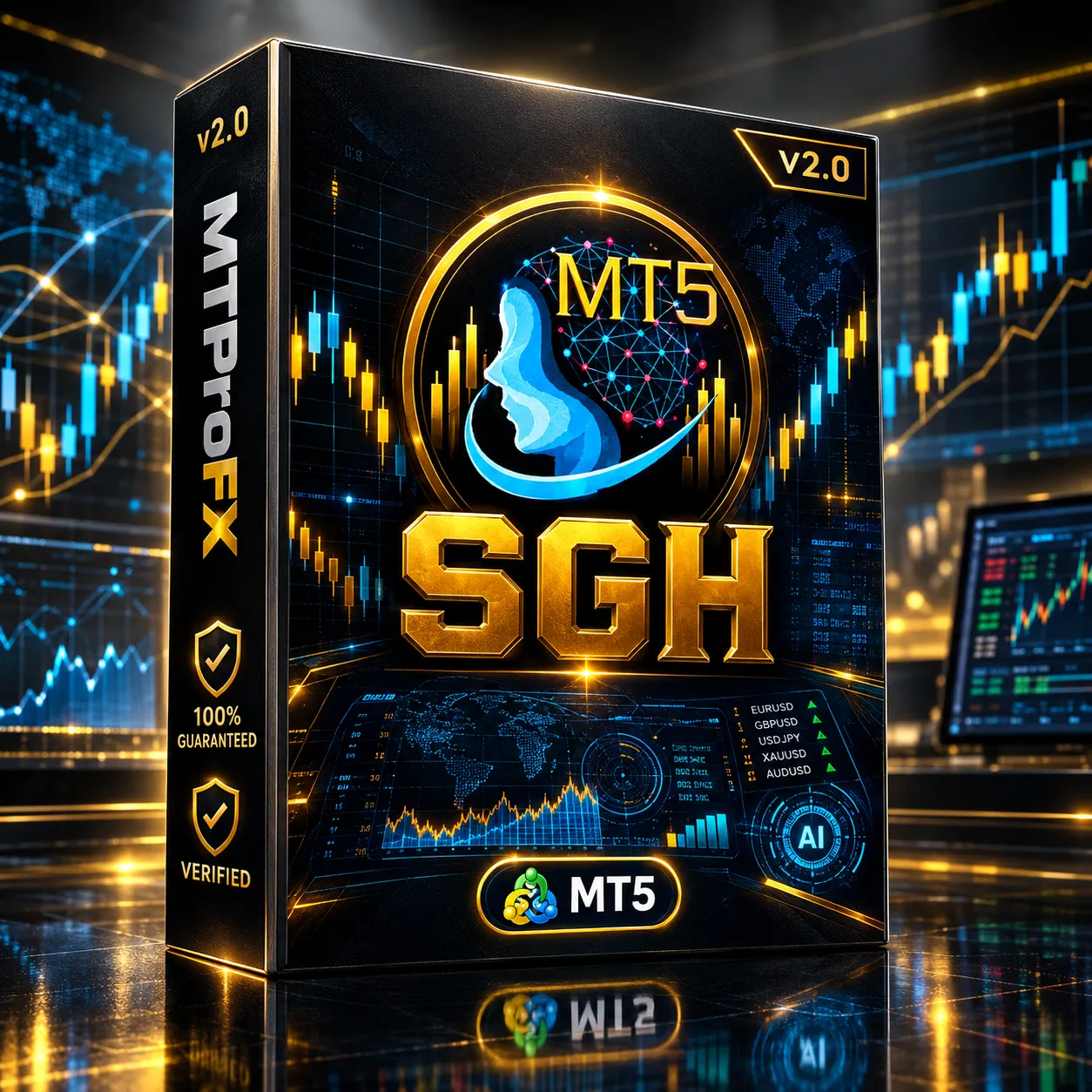
Smart Gold Hunter EA MT5 V2.0 + Source Code | Powerful Gold Trading EA
$345.00
$16.99
95.08% OFFSmart Gold Hunter EA MT5 V2.0 is an automated MetaTrader 5 Expert Advisor focused primarily on XAUUSD (Gold). Available V2.0 listings describe a single-entry approach with real Stop Loss/Take Profit, risk controls, multiple trading profiles, and protection features rather than grid or martingale recovery.
What is Smart Gold Hunter EA MT5 V2.0?
☑️ Smart Gold Hunter EA MT5 V2.0 + Source Code is a Gold-focused automated trading solution for MetaTrader 5, designed around controlled entries, real SL/TP logic, risk management, and configurable trading profiles. V2.0 listings identify XAUUSD as the primary market and describe support for broker-specific Gold symbols such as XAUUSDm and GOLD.
The source-code version can also be useful to developers and advanced algorithmic traders who want to inspect or customize the EA's MQL5 implementation.
The source-code version can also be useful to developers and advanced algorithmic traders who want to inspect or customize the EA's MQL5 implementation.
Recommended Trading Currency Pairs
The EA is primarily intended for Gold rather than a broad basket of traditional Forex pairs.
☑️ Primary Symbol
☑️ XAUUSD — Gold / US Dollar
☑️ XAUUSDm — broker-specific Gold symbol
☑️ GOLD — alternative broker naming
☑️ Other broker-specific Gold symbols, depending on your MT5 broker
The V2.0 technical listings specifically identify XAUUSD/Gold and compatible broker variants as the intended market.
EURUSD, GBPUSD, USDJPY and other conventional Forex pairs should not be assumed to be optimized for this EA unless the particular V2.0 source code or documentation explicitly confirms compatibility.
☑️ Primary Symbol
☑️ XAUUSD — Gold / US Dollar
☑️ XAUUSDm — broker-specific Gold symbol
☑️ GOLD — alternative broker naming
☑️ Other broker-specific Gold symbols, depending on your MT5 broker
The V2.0 technical listings specifically identify XAUUSD/Gold and compatible broker variants as the intended market.
EURUSD, GBPUSD, USDJPY and other conventional Forex pairs should not be assumed to be optimized for this EA unless the particular V2.0 source code or documentation explicitly confirms compatibility.
Smart Gold Hunter EA MT5 V2.0 Features
Gold-Focused Algorithmic Trading - The system is designed around XAUUSD and Gold-market conditions rather than attempting to trade every Forex pair.
Single-Entry Trading Logic - The documented V2.0 configuration emphasizes controlled, single-entry trading rather than continuously adding recovery positions.
No Grid / No Martingale - The advertised strategy specifically avoids conventional grid and martingale-style lot multiplication.
Real Stop Loss & Take Profit - The EA is designed around defined SL/TP trade management rather than relying exclusively on averaging or recovery mechanisms.
Multiple Trading Profiles - V2.0 listings describe profiles such as Scalper, Prop Scalper, Positive RR, Balanced/Swing-style and Custom, allowing users to adapt the configuration to different trading approaches.
Risk Management - Available documentation describes configurable risk/lot management together with protective controls such as daily targets, daily loss limits and equity protection.
Spread Protection - Spread filtering can help prevent entries when Gold trading costs become excessive.
News Protection - The documented feature set includes a high-impact news filter intended to reduce exposure during major scheduled market events.
Trading Session Protection - The V2.0 specifications describe market/session-close and Friday-close protection features.
Real-Time Information Panel - The EA can provide on-chart information about its current operating state and trading configuration.
Source Code - The source-code edition is intended for users who want access to the underlying MQL5 code rather than only a compiled EA. The exact redistribution, modification and commercial-use rights depend on the license supplied by the seller.
Smart Gold Hunter EA MT5 V2.0 – Best Settings
There is no universally "best" setting for Smart Gold Hunter EA because results depend heavily on broker spread, execution, slippage, leverage, account size, market conditions and the selected profile.
For a conservative starting configuration:
☑️ Symbol: XAUUSD or your broker's equivalent Gold symbol
☑️ Platform: MetaTrader 5
☑️ Account: Prefer a low-spread/ECN-style account
☑️ Risk: Start conservatively rather than using aggressive percentage risk
☑️ Profile: Begin with the Balanced/standard profile if included in your V2.0 package
☑️ Stop Loss: Keep the supplied profile's intended SL logic rather than arbitrarily widening it
☑️ Take Profit: Use the profile's original TP configuration initially
☑️ Spread Protection: Enable it where available
☑️ News Filter: Enable it initially, particularly for high-impact USD events
☑️ Daily Loss Protection: Enable it
☑️ Equity Protection: Enable it
☑️ Friday/Market-Close Protection: Enable it if available
☑️ VPS: Recommended for continuous MT5 operation
For scalping-oriented configurations, execution quality becomes particularly important. The published documentation recommends low spreads, low commissions, fast execution and stable conditions, with a VPS recommended for live operation.
Best practice: backtest first, then run the EA on a demo account before considering live deployment. Do not assume that historical backtests will reproduce live results because Gold can experience substantial differences in spread, slippage, liquidity and execution.
For a conservative starting configuration:
☑️ Symbol: XAUUSD or your broker's equivalent Gold symbol
☑️ Platform: MetaTrader 5
☑️ Account: Prefer a low-spread/ECN-style account
☑️ Risk: Start conservatively rather than using aggressive percentage risk
☑️ Profile: Begin with the Balanced/standard profile if included in your V2.0 package
☑️ Stop Loss: Keep the supplied profile's intended SL logic rather than arbitrarily widening it
☑️ Take Profit: Use the profile's original TP configuration initially
☑️ Spread Protection: Enable it where available
☑️ News Filter: Enable it initially, particularly for high-impact USD events
☑️ Daily Loss Protection: Enable it
☑️ Equity Protection: Enable it
☑️ Friday/Market-Close Protection: Enable it if available
☑️ VPS: Recommended for continuous MT5 operation
For scalping-oriented configurations, execution quality becomes particularly important. The published documentation recommends low spreads, low commissions, fast execution and stable conditions, with a VPS recommended for live operation.
Best practice: backtest first, then run the EA on a demo account before considering live deployment. Do not assume that historical backtests will reproduce live results because Gold can experience substantial differences in spread, slippage, liquidity and execution.
Instructions for Installing Smart Gold Hunter EA MT5 V2.0
☑️ Step 1 — Install MetaTrader 5
Install and log into your MT5 trading account.
☑️ Step 2 — Open the Data Folder
Inside MT5, select:
File → Open Data Folder
Then navigate to:
MQL5 → Experts
☑️ Step 3 — Add the EA
Copy the supplied Smart Gold Hunter V2.0 EA/source files into the appropriate MQL5 directory.
A V2.0 listing describes installation through the MT5 Data Folder and the Experts directory.
☑️ Step 4 — Restart MT5
Restart MetaTrader 5 or refresh the Navigator window so the EA appears under Expert Advisors.
☑️ Step 5 — Open a Gold Chart
Open your broker's Gold chart, for example:
XAUUSD
☑️ Step 6 — Attach the EA
Drag Smart Gold Hunter EA onto the XAUUSD chart.
☑️ Step 7 — Select a Profile
Choose the supplied profile that matches your intended approach, such as Balanced, Scalper, Prop Scalper, Positive RR or Custom, depending on what is included in your V2.0 package.
☑️ Step 8 — Configure Risk
Set the lot size or risk percentage conservatively.
☑️ Step 9 — Enable Protection
Check the available daily loss, equity, spread and news protection settings.
☑️ Step 10 — Enable Automated Trading
Make sure Algo Trading/AutoTrading is enabled.
☑️ Step 11 — Test Before Going Live
Run a strategy test and demo-forward test before using real funds.
Install and log into your MT5 trading account.
☑️ Step 2 — Open the Data Folder
Inside MT5, select:
File → Open Data Folder
Then navigate to:
MQL5 → Experts
☑️ Step 3 — Add the EA
Copy the supplied Smart Gold Hunter V2.0 EA/source files into the appropriate MQL5 directory.
A V2.0 listing describes installation through the MT5 Data Folder and the Experts directory.
☑️ Step 4 — Restart MT5
Restart MetaTrader 5 or refresh the Navigator window so the EA appears under Expert Advisors.
☑️ Step 5 — Open a Gold Chart
Open your broker's Gold chart, for example:
XAUUSD
☑️ Step 6 — Attach the EA
Drag Smart Gold Hunter EA onto the XAUUSD chart.
☑️ Step 7 — Select a Profile
Choose the supplied profile that matches your intended approach, such as Balanced, Scalper, Prop Scalper, Positive RR or Custom, depending on what is included in your V2.0 package.
☑️ Step 8 — Configure Risk
Set the lot size or risk percentage conservatively.
☑️ Step 9 — Enable Protection
Check the available daily loss, equity, spread and news protection settings.
☑️ Step 10 — Enable Automated Trading
Make sure Algo Trading/AutoTrading is enabled.
☑️ Step 11 — Test Before Going Live
Run a strategy test and demo-forward test before using real funds.
Who Should Use Smart Gold Hunter EA MT5 V2.0?
Smart Gold Hunter EA V2.0 may be suitable for:
☑️ Traders interested specifically in automated XAUUSD trading
☑️ MT5 users who want rule-based Gold trading
☑️ Traders looking for a non-martingale/non-grid approach
☑️ Algorithmic traders interested in configurable Gold strategies
☑️ Experienced traders who understand risk management
☑️ Developers interested in working with MQL5 source code
☑️ Traders testing automated strategies on demo accounts
☑️ Users who can provide stable execution and VPS hosting
It may be less suitable for beginners who expect an EA to generate guaranteed profits without monitoring, testing or understanding risk.
☑️ Traders interested specifically in automated XAUUSD trading
☑️ MT5 users who want rule-based Gold trading
☑️ Traders looking for a non-martingale/non-grid approach
☑️ Algorithmic traders interested in configurable Gold strategies
☑️ Experienced traders who understand risk management
☑️ Developers interested in working with MQL5 source code
☑️ Traders testing automated strategies on demo accounts
☑️ Users who can provide stable execution and VPS hosting
It may be less suitable for beginners who expect an EA to generate guaranteed profits without monitoring, testing or understanding risk.
Download Smart Gold Hunter EA MT5 V2.0
Download Smart Gold Hunter EA V2.0Pros and Cons
Pros
Designed specifically around Gold/XAUUSD
MT5-compatible
Single-entry trading concept
No advertised grid strategy
No advertised martingale recovery
Real SL/TP approach
Multiple trading profiles
Risk-management features
Spread and news protection
Equity/daily-loss protection
Source-code option for advanced users
VPS-friendly automated operation
Cons
Primarily focused on Gold rather than a broad Forex portfolio
XAUUSD can be highly volatile
Live performance can differ significantly from backtests
Broker execution and spread can materially affect results
Scalping configurations can be particularly sensitive to execution quality
Requires careful risk configuration
Source-code ownership does not automatically mean unrestricted resale or redistribution
No automated strategy can guarantee profits or eliminate losses
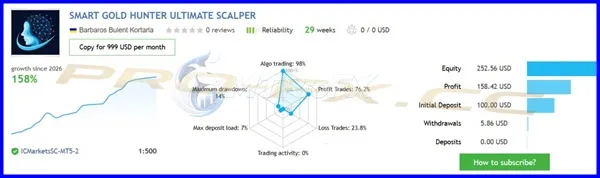
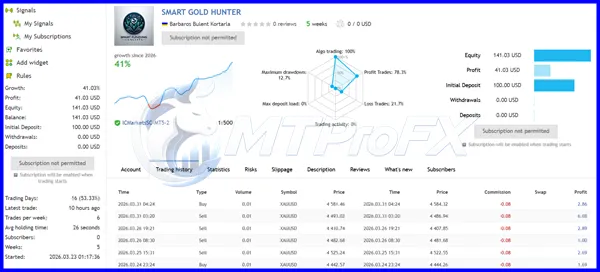
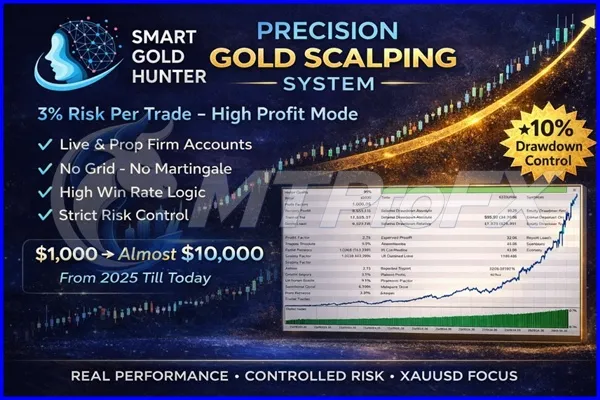
Backtest Results
Conclusion
☑️ Smart Gold Hunter EA MT5 V2.0 is a Gold-focused trading robot designed for automated XAUUSD trading on MetaTrader 5. With built-in risk management, trading profiles, and protection features, it can be a useful tool for traders interested in automated Gold strategies.
The included source code also provides flexibility for advanced users and developers. However, trading always involves risk, so proper testing, suitable settings, and careful money management are important before using the EA on a live account.
The included source code also provides flexibility for advanced users and developers. However, trading always involves risk, so proper testing, suitable settings, and careful money management are important before using the EA on a live account.
What's Included
File Size
72.1 KB
File Type
ZIP
Downloads
125
Login to add your review.
emilywot@gmail.com
Jul 29, 2026
The EA has plenty of settings and takes some time to understand. Once configured properly, it provides a structured approach to automated XAUUSD trading.
Smart Gold Hunter EA V2.0 is an automated Expert Advisor for MetaTrader 5 designed primarily for XAUUSD/Gold trading. Its documented approach emphasizes controlled entries, real SL/TP and risk-management features.
The V2.0 product descriptions state that the EA does not use a martingale strategy.
The documented strategy is presented as non-grid, with single-entry/one-shot trading logic rather than conventional grid recovery.
The primary market is XAUUSD/Gold. Broker-specific symbols such as XAUUSDm or GOLD may also be supported depending on the broker and configuration.
The product is designed for MetaTrader 5 (MT5). Do not assume MT4 compatibility unless a separate MT4 version is supplied.
Some V2.0 documentation specifically describes a Prop Scalper profile and protective features relevant to prop-firm trading. However, compatibility depends on each firm's rules regarding EAs, news trading, drawdown, execution and other restrictions.
No. Forex and Gold trading involve substantial risk. Historical backtests or previous live results do not guarantee future performance.
Yes. A stable VPS can help maintain continuous MT5 operation and consistent execution, particularly when the EA is intended to operate around the clock.
The V2.0 source-code listings advertise an MQ5 source-code version, but buyers should verify exactly what files and licensing rights are included with their particular purchase.
If you receive the editable MQ5 source, technically it can be modified. However, commercial redistribution, rebranding, resale or licensing rights depend on the seller's license terms and should not be assumed.
Use a demo account, conservative risk, the intended XAUUSD symbol, stable execution and a VPS. Forward-test the selected profile before deploying real capital.