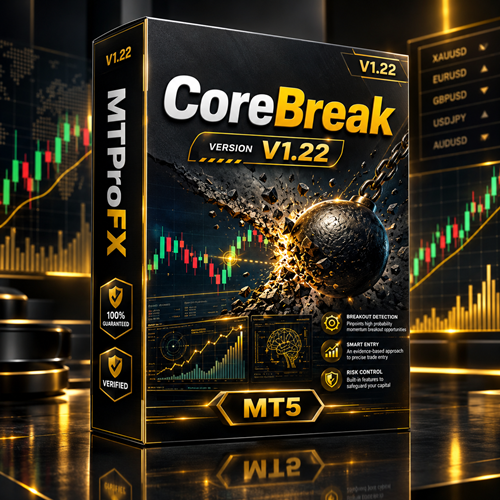
CoreBreak EA V1.22 MT5 – Breakout Trading Expert Advisor for MetaTrader 5
$16.99
94.69% OFF☑️ CoreBreak EA V1.22 MT5 is a MetaTrader 5 Expert Advisor designed around breakout-style trading concepts. It is intended to automate trade execution when market price moves beyond predefined technical levels, helping traders follow potential momentum opportunities without manually monitoring charts throughout the trading session. The EA can be used for selected Forex currency pairs and may be configured according to the trader's preferred risk, trading hours, and market conditions. As with any automated trading system, performance can vary depending on broker conditions, spreads, execution, settings, and market volatility.
What is CoreBreak EA V1.22 MT5?
The EA can be used for selected Forex currency pairs and may be configured according to the trader's preferred risk, trading hours, and market conditions. As with any automated trading system, performance can vary depending on broker conditions, spreads, execution, settings, and market volatility.
Recommended Trading Currency Pairs
Recommended pairs include:
☑️ EURUSD – High liquidity and generally tight spreads.
☑️ GBPUSD – Suitable for traders targeting stronger intraday movements.
☑️ USDJPY – Popular pair with substantial liquidity.
☑️ AUDUSD – Can provide clean directional movements during active sessions.
☑️ USDCAD – Useful for testing breakout strategies around active market periods.
☑️ EURJPY – Offers potentially larger movements than major EUR pairs.
For live trading, start with the currency pairs and settings that have been properly tested on your broker account. Avoid assuming that settings optimized for one pair will produce the same results on another.
CoreBreak EA V1.22 MT5 Features
CoreBreak EA V1.22 MT5 – Best Settings
For beginners, start with the default EA settings and test them on a demo account first. Use a conservative risk level while evaluating the strategy.
When optimizing the EA, pay particular attention to:
☑️ Trading pair: Start with highly liquid major pairs.
☑️ Timeframe: Test the timeframe recommended by the EA developer or compare multiple timeframes in Strategy Tester.
☑️ Risk: Begin with low risk and increase only after sufficient testing.
☑️ Lot size: Fixed lots can make testing easier; percentage-based risk can be considered after validation.
☑️ Spread: Avoid trading when spreads become unusually wide.
☑️ Trading hours: Test specific sessions to identify how the strategy behaves during different market periods.
☑️ Stop Loss/Take Profit: Keep these consistent with the tested strategy rather than changing them randomly.
☑️ News trading: Consider disabling automated trading during major economic announcements if testing shows excessive volatility affects results.
Always perform backtesting and forward testing before using the EA with real funds.
Instructions for Installing CoreBreak EA V1.22 MT5
Launch your MT5 trading platform and log into your trading account.
☑️ Step 2: Open the Data Folder
Click File → Open Data Folder.
Navigate to:
MQL5 → Experts
☑️ Step 3: Copy the EA
Copy the CoreBreak EA V1.22 MT5 .ex5 file into the Experts folder.
If the package includes .set files, keep them available for importing later.
☑️ Step 4: Restart or Refresh MT5
Restart MetaTrader 5 or open the Navigator panel and refresh the Expert Advisors section.
☑️ Step 5: Enable Algo Trading
Make sure the Algo Trading button is enabled in MT5.
☑️ Step 6: Attach the EA
Open the desired currency pair and timeframe, then drag CoreBreak EA V1.22 MT5 from the Navigator onto the chart.
☑️ Step 7: Configure Inputs
Review the available parameters and select your preferred risk, trading, and money-management settings.
☑️ Step 8: Load Set Files
If .set files are included, open the EA's Inputs section and use Load to import the appropriate configuration.
☑️ Step 9: Start Testing
Before going live, test the EA using the MT5 Strategy Tester and then forward-test it on a demo account.
Who Should Use CoreBreak EA V1.22 MT5?
☑️ Forex traders interested in automated breakout strategies.
☑️ MT5 users who want to automate trade execution.
☑️ Traders who prefer systematic rather than discretionary entries.
☑️ Beginners learning about Expert Advisors through demo testing.
☑️ Experienced traders looking to evaluate another automated strategy.
☑️ Traders who want to backtest an EA before considering live deployment.
It may not be suitable for traders who expect guaranteed profits or who are unwilling to monitor and manage automated trading systems.
Download CoreBreak EA V1.22 MT5
Download CoreBreak EA V1.22 MT5Pros and Cons
Pros
Cons
Get CoreBreak EA V1.22 MT5 FREE (VIP Members Only)
Join a VIP Telegram group to get access. Pick your plan:
Conclusion
Before using the EA with real money, traders should conduct extensive backtesting, forward testing, spread analysis, and risk evaluation. Appropriate position sizing and conservative risk management remain essential when deploying any automated trading system.
What's Included
Login to add your review.
What I like most is the ability to backtest the EA before using it on a live account. It makes comparing different settings much easier